

Introduction
Are you tired of constant group notifications on WhatsApp? Do you want to silence a particular group without leaving it?
Here’s how to mute group notifications:
Procedure
Steps to Mute Group Notifications
- Open WhatsApp and go to the group chat you wish to mute.
- Tap the group name at the top.
- Click on notifications
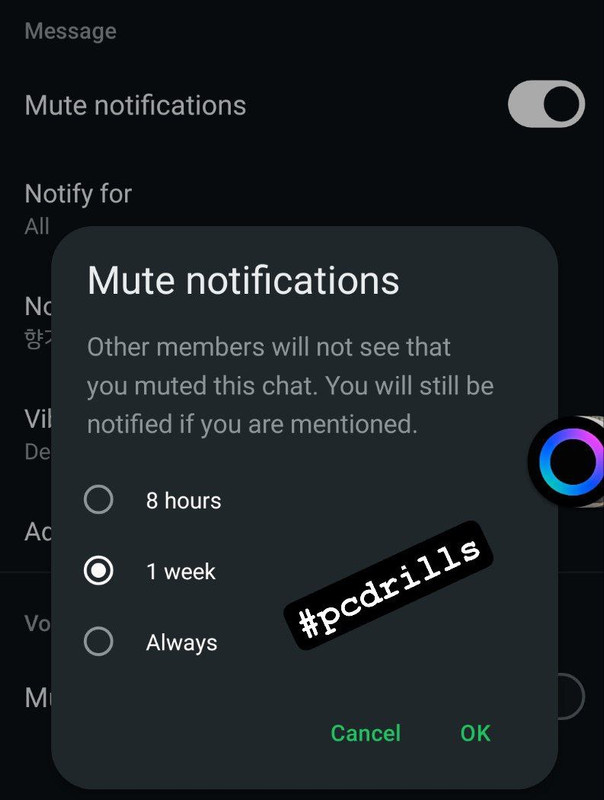
- Select “Mute” or “Mute notifications”.
- Choose the duration:
- 8 hours
- 1 week
- 1 year
- Always (to mute indefinitely)
![mute_notifications.jpg]()
- Alternatively, select “Custom Notifications” and choose your preferred settings based on what is available at the moment, Whatsapp is constantly updating.
Conclusions
This procedure can be very handy in a class group, family group or friends group where you just want to temporary mute notifications at peak dicussion periods where everyone is sending in messages at a moment you don’t want to be disturbed.
Bye for now.